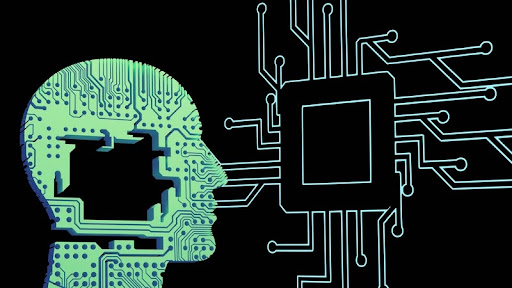
Remote work in action—AI tools make the home office smarter and more productive.
Remote work isn’t just a temporary shift; it’s a new normal. Whether you’re clocking in from your living room or logging into meetings from a beachside Airbnb, the way we work has undergone significant changes. But here’s the big question: how are we keeping everything running smoothly from a distance?
The answer, in many cases, is artificial intelligence.
AI is doing more than just making our lives a little easier; it’s completely reshaping how we approach remote work. From automating mundane tasks to facilitating seamless collaboration, it’s becoming the secret sauce behind productive remote teams.
Let’s dive into how AI is powering the future of remote work and why it might just be your best new coworker.
How does AI help remote teams collaborate better?
AI streamlines communication and makes virtual teamwork feel less… virtual.
If you’ve ever sat through a choppy video call or scrambled to schedule a meeting across time zones, you know remote collaboration can be tricky. AI steps in as the behind-the-scenes fixer.
AI-powered tools can now:
- Transcribe meetings in real-time
- Translate conversations on the fly
- Summarize long email chains or discussions
These smart systems help cut down on miscommunication and keep everyone on the same page, literally. You don’t have to re-read ten Slack messages to figure out what the action items were. AI can tell you in seconds.
Plus, AI assistants can now schedule meetings based on everyone’s availability without a million back-and-forth emails. It’s like having a digital personal assistant that never sleeps.
How is AI boosting productivity in remote work?
AI takes over time-consuming tasks so you can focus on the work that matters.
Let’s be honest: not every workday is filled with exciting, high-impact projects. A lot of your time gets eaten up by routine tasks, answering the same emails, updating spreadsheets, and setting reminders. AI is built to handle exactly that.
For example:
- AI can draft responses to repetitive emails
- Virtual bots can update records automatically
- Smart to-do lists prioritize tasks based on deadlines or urgency
And if you’ve ever lost track of time jumping between tabs (we’ve all been there), AI-based productivity tools can track your screen time, show trends, and even suggest ways to improve your focus.
According to a 2024 report by McKinsey, AI could automate up to 60–70% of employee workloads in some industries, especially in knowledge work. That doesn’t mean your job disappears; it means your time gets freed up to do better, more creative things.
AI serves as a vigilant protector, constantly monitoring for potential threats.
Remote working introduces various risks. You’re often outside the company’s secure network, likely using a combination of personal and work devices while connecting from various networks. This scenario is enticing for hackers.
However, AI-driven cybersecurity solutions can assist by:
Detecting abnormal activities, such as simultaneous logins from different locations.
Recognizing phishing attempts in emails before they are opened.
Securing confidential information when any unusual activity is detected.
These tools are capable of responding instantly, which is crucial when there isn’t an in-house IT department available for immediate assistance.
Cybersecurity has become critical now that 68% of U.S. companies support hybrid or fully remote work (source: Gallup, 2025). Protecting data is no longer optional’s essential.
Can AI enhance work-life balance for remote workers?
It’s achieving this by helping individuals prevent burnout.
While remote work has advantages (hello, comfy clothes), it can also make it harder to separate work from personal life. AI is stepping up to promote healthier boundaries and improved balance.
How does it do this? Well, certain AI applications can:
Prompt you to take breaks if it notices that you haven’t paused for hours.
Disable non-essential notifications during periods of deep concentration.
Evaluate your workload and indicate when it becomes overwhelming.
Additionally, AI-powered mental health apps can observe signs of stress or exhaustion, offering mindfulness exercises, check-ins, or even recommending a day off based on your recent behaviors.
The aim? To keep individuals productive, without exceeding their limits.
In what ways is AI revolutionizing recruitment and HR for remote teams?
It’s streamlining hiring, onboarding, and employee development processes.
Recruiting remote employees presents distinct challenges. Relying on face-to-face interviews or the casual ambiance of an office to assess a candidate isn’t possible. AI provides structure and efficiency to this process.
Here’s how:
AI tools can evaluate resumes and pinpoint qualified candidates based on their skills rather than just job titles.
Virtual onboarding assistants guide new employees through training and policy documents.
AI-assisted platforms monitor employee performance metrics and recommend training resources.
These systems not only minimize bias but also help customize professional development paths for employees, especially crucial when managers cannot conduct in-person check-ins.
Moreover, with many companies adopting a remote-first approach, the talent pool has become global.
AI simplifies management at scale.
What obstacles arise when utilizing AI for remote work?
Although AI offers numerous advantages, it also comes with challenges.
To begin with, there’s the issue of data privacy. If your AI applications are gathering personal information, how is that data stored and safeguarded? There’s also the risk of excessive automation. If we delegate every task to an algorithm, are we jeopardizing the human element?
Moreover, let’s acknowledge that AI isn’t infallible. It can err, particularly in interpreting tone, context, or cultural nuances. This is why human supervision remains essential.
Additionally, there’s the anxiety: Will AI take my job? While AI can handle certain tasks, it’s more beneficial to view it as a tool that enhances your work rather than replaces it. The most valuable employees will be those who know how to collaborate with AI, not compete against it.
What does the future hold for AI-enhanced remote work?
Prepare for increased personalization, more intelligent tools, and a transformation in the very definition of “work.”
Looking forward, AI is anticipated to become increasingly predictive, providing insights before you even realize you need them. Envision tools that track your productivity and propose customized workflows based on your preferences. Or platforms that review your week and suggest optimal times for meetings to ensure peak focus.
We will also witness the emergence of AI avatars, virtual colleagues, and sophisticated simulation tools for training and teamwork. It might seem like science fiction, but it’s already in the works.
As AI improves, so will the demand for employees who can effectively utilize it. This is why digital literacy and AI competencies will soon be as vital as writing or mathematics.
Why is this important for you?
Because AI isn’t merely a trendy term, it’s rapidly becoming integrated into your everyday work routine.
Whether you’re a freelancer, a small business proprietor, or a member of a corporate team, adopting AI now will help you stay ahead of the game. You don’t have to be a technology specialist to gain advantages; you only need to remain curious and willing to explore.
Consider AI as your digital partner. The one who never tires, doesn’t overlook tasks, and consistently seeks ways to help you work more efficiently, not harder.
Quick FAQ: AI and Remote Work
Q1: Can AI completely replace remote positions? A: No. AI automates tasks but still depends on humans for strategy, creativity, and empathy, attributes that machines cannot imitate.
Q2: Is it safe to use AI while working from home? A: Yes, provided that the tools adhere to appropriate data security measures. Always utilize AI platforms from reputable vendors.
Q3: What are the best AI tools for remote workers? A: It depends on your role, but popular categories include AI writing assistants, virtual meeting tools, task managers, and cybersecurity software.
Q4: How can I learn to work better with AI? A: Start small, try out free tools, take short online courses, and explore how AI fits into your daily routine.
Ready to make AI part of your workday?
AI is here to stay. And the sooner you get comfortable with it, the easier it becomes to stay productive, connected, and ahead of the curve in this new era of remote work.
So, what’s one AI tool you can try out this week? Go ahead, experiment a little. You might be surprised at how much easier work gets when you have a digital partner on your team.
About the Author