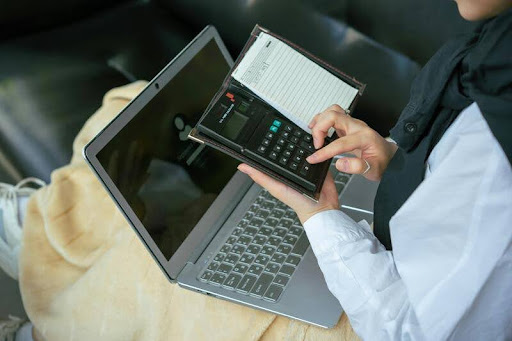
Balancing it all—managing small business finances on the go
When you’re running a small business, every dollar counts, and every minute too. Choosing the right accounting software isn’t just about managing your books; it’s about making your life easier, staying compliant, and keeping your finances in check without spending a fortune or getting overwhelmed.
So how do small business owners actually decide on accounting software in the U.S.? What are the must-haves? What’s worth skipping? And how do you find something that fits your business without feeling like you need a degree in accounting?
Let’s walk through it together, no jargon, no fluff. Just practical, plain-English guidance that helps you pick accounting software that actually works for your business.
Why Does Choosing the Right Accounting Software Matter?
Because small business owners already wear a hundred hats.
The right accounting software helps you:
- Track your income and expenses
- Send invoices faster
- Handle payroll
- Prep for tax season
- Stay on top of cash flow And ideally, it does all that without eating up your entire weekend.
But the wrong software? That’s a headache you don’t need. It can lead to errors, stress, wasted money, and time you can’t get back. No thanks.
What Should Small Businesses Consider Before Choosing Accounting Software?
Before you even start looking at features or price tags, take a minute to figure out what your business actually needs.
- What’s your business size? A solo freelancer probably needs fewer bells and whistles than a company with ten employees.
- How do you get paid? If you invoice clients regularly, you’ll want built-in invoicing. If you run a retail shop, integration with your POS might matter more.
- How complex are your finances? If you’re juggling inventory, contractors, sales tax, or multiple locations, you’ll need software that can keep up.
Start with a short checklist of your needs. Keep it simple, but specific. You’re not just picking software, you’re solving your real-world bookkeeping headaches.
What Are the Most Important Features in Accounting Software?
Here’s what most U.S. small business owners look for, and what you probably will too.
Easy to Use: If it feels like you need to call IT support every time you log in, skip it. The software should make things simpler, not more confusing.
Core Features: Look for the basics like:
- Invoicing
- Expense tracking
- Financial reports (profit & loss, balance sheet, etc.)
- Tax tracking (especially sales tax if you sell products)
- Bank reconciliation
Integrations: Does it sync with your payment processor, payroll system, or tax software? Being able to connect everything can save a ton of time.
Mobile Access: Running errands or traveling? Having access from your phone or tablet is more important than you might think.
Data Security: Your financial info is sensitive. Make sure the software uses encryption and offers secure backup options.
Should You Go With Cloud-Based or Desktop Software?
This question comes up a lot: “Should I use cloud-based accounting software or stick to a desktop program?”
Here’s the quick breakdown:
Cloud-Based Software:
- Accessible from anywhere
- Auto updates and backups
- Great for remote teams or businesses always on the move
- Usually subscription-based
Desktop Software:
- Installed directly on your computer
- No internet required
- Usually a one-time cost
- Updates must be done manually
For most modern small businesses, especially those on the go, cloud-based is the go-to. It’s just more flexible. But if your internet is unreliable or you prefer a one-time purchase, desktop might still be a solid option.
How Much Should Small Businesses Expect to Pay?
Let’s talk cost, because it matters.
Pricing for accounting software in the U.S. usually falls into these categories:
- Free plans (limited features; good for very small operations)
- Monthly subscriptions ($10–$70/month depending on features and number of users)
- One-time fees (more common for desktop software, usually $100–$300+)
But don’t just look at the sticker price. Consider:
- Are features like payroll or time tracking extra?
- Does customer support cost more?
- Are there hidden fees for integrations or add-ons?
Set a realistic monthly or yearly budget and compare what you’re actually getting, not just the lowest price.
Do You Need Industry-Specific Accounting Features?
Not always, but sometimes they’re worth it.
For example:
- A construction business might need job costing tools.
- A food service business might need inventory tracking for perishables.
- A freelancer may just need basic invoicing and mileage tracking.
If your industry has unique financial quirks, make sure the software can handle them, or at least be customized to fit. Otherwise, you’ll be fighting your tools instead of working with them.
How Important Is Customer Support and Training?
Big-time important.
You don’t want to be stuck on hold for an hour or left combing through outdated help articles when something goes wrong.
Good support should be:
- Easy to reach (chat, phone, or email)
- Available when you need it (especially during tax season)
- Backed by solid help docs, videos, or a user community
Bonus if the software offers training when you get started. It cuts down the learning curve and gets you confident faster.
Should You Try Before You Buy?
Absolutely. In fact, you shouldn’t buy without trying first.
Most reputable accounting software providers offer free trials or demos. Use them. Try creating an invoice. Connect a bank account. Run a test report. If it feels clunky or confusing, trust your gut.
Things to notice during the trial:
- Is it easy to navigate?
- Does it feel overwhelming?
- Can you imagine using it weekly without dreading it?
Software should help your business, not slow it down.
What About User Reviews, Can You Trust Them?
Yes and no.
User reviews can help you spot red flags, but don’t let one bad review scare you off (or one glowing one sell you). Look for patterns:
- Do many people mention poor customer service?
- Is there a lot of praise for how intuitive it is?
- Are updates slow or buggy?
Stick to reputable sources like software comparison sites, not just random blog comments. And always take overly enthusiastic or overly negative reviews with a grain of salt.
How Do You Make the Final Choice?
You’ve narrowed your list. Now what?
- Compare top contenders side by side, features, price, support.
- Think about your long-term goals. Will it still work as your business grows?
- Ask your bookkeeper or accountant if they’ve worked with it.
- Pick the one that fits your workflow, not just the trendiest name.
And remember, you’re allowed to switch later. Picking software doesn’t have to feel permanent. Just try to choose something that fits now and has room to grow.
Wrapping It Up: Choose What Works for You
At the end of the day, the best accounting software is the one that:
- Makes your business life easier
- Keeps your finances organized
- Doesn’t break your brain (or your budget)
If you’re just getting started, don’t stress over perfection. Pick something user-friendly, affordable, and flexible enough to meet your day-to-day needs.
Still unsure? Bookmark this page and go test out a couple options. The right fit is out there, you’ve just got to find it.
FAQ: Quick Answers to Common Questions
What’s the best accounting software for small businesses in the U.S.? There’s no one-size-fits-all answer. It depends on your business size, budget, and needs. Look for tools with invoicing, expense tracking, and tax features.
Can I use free accounting software for my business? Yes, but most free versions have limits. They’re good for solo operations, but growing businesses usually outgrow them.
Do I need accounting software if I use a spreadsheet? Spreadsheets work early on, but they’re prone to errors and hard to scale. Software offers automation, reports, and better accuracy.
Is QuickBooks the only option? Not at all. There are many alternatives with different features and price points. QuickBooks is popular but not always the best fit.
Can accounting software help with taxes? Yes. Most options help track deductible expenses, organize tax info, and generate reports that simplify filing.
Ready to Take the Next Step?
Choosing accounting software might not be glamorous, but it’s one of those behind-the-scenes decisions that can totally change how you run your business.
Take the time. Ask the questions. And trust your instincts.
Need help creating a shortlist or figuring out what fits your setup best? Drop a comment or get in touch, we’re here to help small businesses succeed, one smart choice at a time.
About the Author




