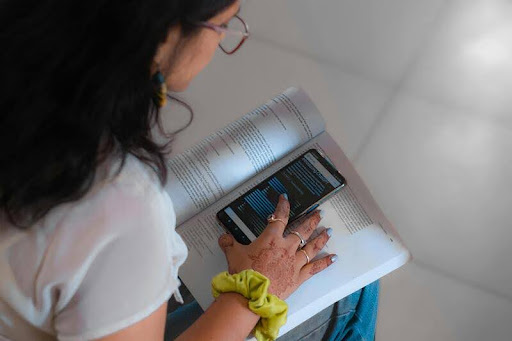
Learning on the go—AI tools make freelancing smarter and more flexible.
The freelancing landscape in the U.S. has seen tremendous growth lately. Whether you’re engaged in writing, design, web development, or consulting, the gig economy is thriving. A 2024 report from Statista reveals that more than 70 million Americans participate in freelancing, constituting nearly 40% of the workforce. That’s substantial.
However, with independence comes a certain level of disorder. Juggling deadlines, communicating with clients, following up on payments, and squeezing in personal time can be quite daunting.
That’s where AI comes into play, not to replace you, but to simplify your workload.
In this article, we will explore five must-have AI tools that can significantly enhance your freelancing efficiency. No fluff, no confusing tech lingo, just practical tools that handle the heavy lifting while you concentrate on your core competencies.
1. What Benefits Do AI Writing Assistants Offer Freelancers?
AI writing tools act like a dedicated co-author that is always available. They assist with generating content, crafting emails, preparing client proposals, and even brainstorming ideas for blogs.
If writing is a big part of your job, an AI writing assistant can accelerate your process, enhance your grammar and voice, and help you overcome writer’s block. These tools not only fix your text, but they also aid in organizing your ideas, adapting for various audiences, and rephrasing quickly.
Think of it as your unseen editor. You retain control over the message, but AI ensures everything flows seamlessly.
Why it’s important: For freelancers, communication skills are paramount. From proposals to updates, clear writing fosters trust and leads to repeat business.
Pro tip: Always customize and review content produced by AI. It should reflect your unique voice, not sound generic.
2. In What Ways Can AI Design Tools Assist Non-Designers?
Not trained in graphic design? No worries. AI design tools enable you to craft professional-looking visuals without needing an art degree or costly software.
These tools provide intelligent templates, user-friendly interfaces, and even AI-generated images. Need to create a portfolio mock-up? A social media graphic? A presentation for a pitch? AI can streamline those tasks, making them quicker and less stressful.
Why it’s significant: Visuals significantly impact personal branding. Whether you’re designing a logo, updating your LinkedIn profile banner, or delivering projects to a client, high-quality design conveys professionalism and reliability.
Even experienced designers utilize AI for brainstorming sessions, automating basic layouts, or experimenting with new styles.
Pro tip: Leverage AI tools to kickstart your design, then refine it to align with your branding.
3. What Are the Best AI Tools for Managing Freelance Projects?
Let’s be real: juggling multiple clients, shifting deadlines, and random Zoom calls is a recipe for burnout.
AI-powered project management tools are built to simplify the chaos. They help track tasks, auto-prioritize to-dos, and send reminders before things slip through the cracks.
Some platforms even suggest the best time to tackle a task based on your behavior. Others generate status reports you can share with clients, so you look organized even when you’re scrambling.
Why it matters: Freelancers don’t have managers or assistants. That means staying on top of timelines and client expectations is 100% on you.
Pro tip: Choose tools with mobile apps or browser integrations so you can manage work from anywhere, coffee shops, airports, or your couch.
4. How Does AI Make Freelance Finances Easier to Handle?
Invoicing and tax season don’t have to be painful.
AI accounting and invoicing tools automate your financial admin. Think: recurring invoices, expense tracking, mileage logs, and even estimated tax calculations.
You plug in the data, and AI helps organize everything. Some platforms even offer gentle nudges when a client hasn’t paid up yet. Others sync with your bank or PayPal to track income in real time.
Why it matters: Freelancers can’t afford to be sloppy with money. Late payments, tax surprises, and poor budgeting are all avoidable with the right tools.
Pro tip: Look for tools that support tax deductions and categorize expenses automatically; those features pay for themselves.
5. Can AI Improve Client Communication?
Yes, and it can do so without making you sound like a robot.
AI tools now help draft emails, auto-respond to client messages, and even schedule meetings. Some platforms analyze tone and wording to help you come across as more confident, friendly, or formal, depending on your audience.
Need to reply to ten emails fast? Use AI to draft responses you can personalize in seconds.
Why it matters: Every client interaction is a chance to build trust, clarify expectations, and show professionalism. Fast, clear communication keeps projects moving and clients happy.
Pro tip: Keep your voice human. Use AI as a shortcut, not a substitute.
So, Are AI Tools Worth It for Freelancers?
If you’re tired of juggling 10 things at once, the answer is yes.
AI doesn’t replace your creativity or hustle; it just cuts out the busywork. Whether you freelance full-time or as a side hustle, AI tools can save hours every week and help you deliver higher-quality work with less stress
And in an industry where speed, reliability, and polish can make or break your reputation? That edge matters.
Quick Recap: Top 5 AI Tools Every Freelancer Should Try
- AI Writing Assistants, for drafting emails, blogs, proposals, and more
- AI Design Tools, Create pro visuals even if you’re not a designer
- AI Project Management: Stay on top of tasks, deadlines, and clients
- AI Accounting & Invoicing, Automate finances and reduce tax stress
- AI for Client Communication, Speed up responses while sounding human
Try one, try them all, just make sure you’re working with AI, not letting it take the wheel entirely.
FAQ: AI Tools for Freelancers
Q: What is the best way to start using AI as a freelancer? A: Start with one tool that addresses your biggest pain point, whether that’s writing, invoices, or time management. Test it out, tweak it to your workflow, and build from there.
Q: Are AI tools expensive for freelancers? A: Many tools offer free tiers or affordable plans under /month. Think of it as an investment in saving time and delivering better work.
Q: Can AI tools replace the need for hiring help? A: In many cases, yes. While nothing replaces human expertise for complex tasks, AI tools can handle routine admin, drafts, and design basics.
Q: Do clients care if I use AI tools? A: Most clients care about results. As long as your work is high-quality and tailored to their needs, they’re unlikely to object.
Want to stay competitive in the U.S. freelance market? Let AI handle the repetitive stuff so you can focus on the work that really lights you up.
About the Author