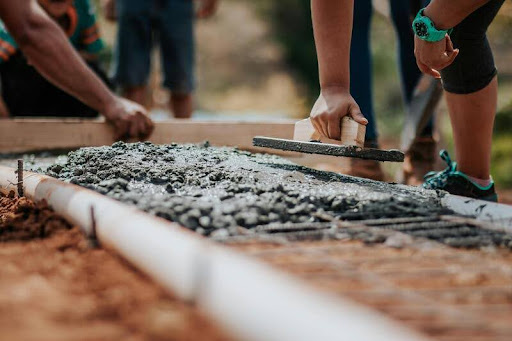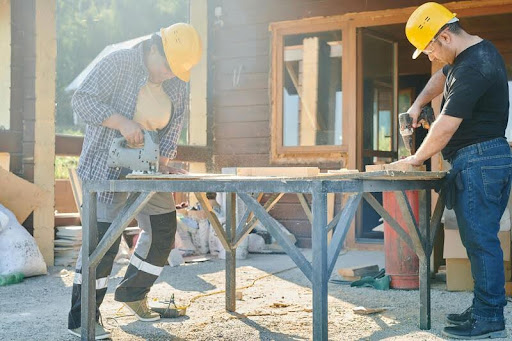
Keeping the build on track—teamwork in action at a busy construction site
Your Guide to Smarter, More Organized Builds, Without the Chaos
Construction projects are no joke. Between juggling contractors, suppliers, timelines, budgets, and blueprints, it can feel like you’re running five marathons at once, backward. So, what’s the secret to keeping it all on track?
Welcome to the world of construction project management tools.
These tools aren’t just trendy software with fancy dashboards; they’re game-changers for organizing the chaos, improving communication, and helping construction teams actually hit their deadlines (imagine that). In this guide, we’re diving into how these tools work, why they matter, and how to pick the best one for your team, without all the techy jargon or salesy fluff.
Why Do Construction Teams Need Project Management Tools?
Simple answer: Because sticky notes, spreadsheets, and endless email threads just don’t cut it anymore.
Construction projects come with tons of moving parts. There are architects, engineers, field crews, and clients, each with their own goals and timelines. When you’re trying to keep everyone on the same page using outdated methods, miscommunication is bound to happen. That’s where project management tools come in.
They help teams:
- Stay organized from start to finish
- Track budgets and timelines
- Avoid costly mistakes
- Communicate in real time
- Keep critical documents in one place
According to a 2024 report by Dodge Construction Network, 66% of contractors reported improved project performance when using integrated digital tools. That’s not just a nice-to-have, it’s a must-have.
What Features Should You Look for in a Construction Project Management Tool?
Let’s be real. Not every tool is built for the job site. Here’s what to look for if you want something that actually makes life easier.
Scheduling and Timeline Tracking
Delays are expensive. A solid tool helps you build out a realistic schedule, assign tasks, and set dependencies so that one holdup doesn’t derail the entire project.
Budget and Cost Management
Construction budgets are tight. You need real-time tracking of costs, change orders, and vendor payments so you’re not surprised by an overrun halfway through the job.
Document Control and File Sharing
Blueprints, permits, RFIs, punch lists, you name it, it piles up. A good tool stores everything in one central hub, easy to access from anywhere.
Communication and Collaboration
Look for tools with built-in messaging, comment threads, or alerts so teams can flag issues quickly, no more “I didn’t get the email” excuses.
Mobile Access
Construction doesn’t happen at a desk. Mobile-friendly tools let field teams update progress, snap photos, and log hours directly from the job site.
Reporting and Analytics
You can’t fix what you can’t measure. Project dashboards and reporting tools show what’s working, and what’s not.
What Types of Construction Project Management Tools Are Out There?
Not every company needs a big, all-in-one system. It really depends on the size of your projects and your team’s needs. Here’s a breakdown of the main types:
All-in-One Platforms
These cover everything: budgeting, scheduling, documents, and more. They’re powerful, but they can be overkill (or pricey) for smaller operations.
Scheduling-Focused Tools
Perfect if your biggest struggle is timeline management. These help map out tasks, dependencies, and deadlines in visual formats like Gantt charts.
Document Management Systems
If your pain point is keeping track of all the paperwork, these tools organize plans, specs, permits, and revisions so everyone’s working from the right version.
Field Management Tools
These bridge the gap between the office and the job site. Think punch lists, safety inspections, and progress photos, all uploaded on the go.
How Do You Choose the Right Tool for Your Construction Project?
There’s no one-size-fits-all answer here. Choosing the right tool comes down to knowing your team and your projects. Ask yourself:
- How big are your projects? If you’re managing multi-million-dollar builds with lots of stakeholders, an all-in-one platform might make sense. Smaller teams may do better with something lightweight and flexible.
- What’s your workflow like? Are you mostly in the field? Do you have office staff handling documents? Choose a tool that fits your process, not one that forces you to change everything.
- Do you already use other tools? Make sure your project management software plays well with tools like QuickBooks, Google Drive, or AutoCAD.
- Is it easy to use? If the tool requires two weeks of training and an IT team, your crew won’t use it. Period.
- Can it scale with you? You might not need advanced features now, but what about next year? Pick something that grows with your business.
Pro tip: Try the free trial before you commit. Most platforms offer a limited version so you can test it with your team.
What Are the Benefits of Using the Right Construction Management Tool?
When you choose the right fit, the results speak for themselves.
- Better communication: Everyone has access to the same info, in real time.
- Fewer delays: Tasks are clear, deadlines are visible, and updates are automatic.
- Tighter budgets: Real-time cost tracking means fewer surprises and better forecasting.
- Improved accountability: You can see who did what, and when.
- Less stress: Seriously, it’s a game-changer.
One survey from Construction Executive found that companies using modern project management tools reduced rework by up to 30%. That’s huge when labor and materials are already expensive.
What Challenges Should You Watch Out For?
Let’s not pretend these tools are magic. There are some common bumps in the road:
- Learning curve: Some tools are tricky at first. Be ready to invest time in training.
- Costs add up: While many offer free versions, premium features can get pricey.
- Tech resistance: Not everyone on your team may be excited to adopt something new.
- Overkill: If you pick a tool that’s too complex, your team might ignore it completely.
The fix? Keep it simple. Start with the features you actually need, and expand from there.
Final Takeaway: Which Project Management Tool Is “Best”?
Here’s the truth: There is no single “best” construction project management tool for everyone.
The right tool for you depends on your team size, project complexity, budget, and workflow. What’s critical is choosing software that aligns with how your team actually works, while keeping things organized, on time, and on budget.
So before you download a dozen free trials, take a moment to map out your biggest headaches on the job site. What do you struggle with most? Scheduling? Communication? Document control?
That answer will point you in the right direction.
FAQ: Quick Answers to Common Questions
What is the best construction project management tool for small teams? Look for tools with simple interfaces, core features like scheduling and document sharing, and affordable pricing. Avoid overly complex platforms.
Do construction project management tools save money? Yes, by reducing delays, cutting down on rework, and improving budget tracking. Many users report better cost control within the first few months.
Are free construction project management tools worth using? Some free versions offer solid basics like task lists and document storage. But larger teams or complex projects may quickly outgrow them.
Can I utilize general project management software for construction projects? You can, but tools specifically designed for construction are more effective in addressing aspects like RFIs, punch lists, and on-site collaboration.
How difficult is it to train teams to utilize these tools? It varies depending on the software. Some are very user-friendly, while others require onboarding. Selecting an intuitive tool can significantly improve the experience.
Want to Stay Ahead of the Project?
Selecting the appropriate construction management tool not only simplifies your job but also enhances the success of your projects. If you’re exhausted from managing countless tasks with sticky notes and spreadsheets, it’s time for an upgrade.
Begin with a small selection, experiment with a few tools, and discover what works for your team. And keep in mind, effective project management is not solely about the software. It’s about creating systems that enable your crew to work more efficiently, not harder.
About the Author